

Subaru Solterra Hands-Free Power Liftgate: A Smarter Way to Load Up in Salt Lake City You're back from the grocery store. Both arms are full. You're standing at the rear of your Subaru Solterra trying to figure out how to open the liftgate without setting everything down on the parking lot pavement. This is exactly what the Subaru Solterra hands-free power liftgate was built to solve. With a simple wave of your foot beneath the rear bumper, the liftgate opens automatically — no buttons, no juggling, no dropped bags. It's a small feature with an outsized impact on daily life. Here's how it works, who benefits most, and what else makes the Solterra a natural fit for drivers in Salt Lake City and the surrounding communities. How the Subaru Solterra Hands-Free Power Liftgate Works The system is sensor-based. As long as your key fob is on your person — in a pocket, bag, or jacket — the Solterra can detect your proximity. When you wave your foot in a slow, smooth motion beneath the center of the rear bumper, the sensor reads the movement and the liftgate opens on its own. To close it, repeat the same foot motion, or use the button on the liftgate itself or the toggle inside the vehicle. A Few Things Worth Knowing Slow and deliberate works best. A smooth sweeping motion is more reliable than a quick kick. Think wave, not tap. Your fob needs to be with you. The system won't activate if the key is left inside the house or the car. Liftgate height is adjustable. In parking garages or low-ceiling spaces, you can limit how far the gate opens through the vehicle settings. It closes hands-free too. The same foot motion works when you're ready to shut it — useful when your hands are still full after loading. Who Gets the Most Out of This Feature The hands-free liftgate sounds like a convenience feature, but it earns its place across a wide range of real-world scenarios. Families Parents in Holladay, West Valley City, and Millcreek know the feeling of managing a stroller, a diaper bag, a car seat, and a toddler all at once. The hands-free liftgate removes one more obstacle from what is already a logistically complex moment. It also simplifies post-practice pickups, park trips, and the end of a long grocery run. Outdoor Enthusiasts Utah's outdoor access is part of what makes living here worth it. Whether you're packing ski gear for a day at Brighton, loading a cooler for a camping trip near Park City, or returning from a trail in Big Cottonwood Canyon with muddy boots and tired arms, the hands-free liftgate makes the load-in and load-out process smoother. Heavy gear fills both hands fast — it helps to have the cargo area waiting open when you arrive. Commuters and Errand-Runners For drivers in West Jordan, Murray, and Magna who make frequent stops throughout the day, small efficiencies accumulate. The hands-free liftgate is the kind of feature that quietly becomes indispensable after a few weeks of regular use. The Solterra Beyond the Liftgate The hands-free liftgate is one part of a broader set of features that make the Solterra well-suited to how people actually use their vehicles in Utah. Feature Why It Matters in Utah Hands-Free Power Liftgate Load gear and groceries without setting anything down Symmetrical All-Wheel Drive Reliable traction on snowy canyon roads and winter commutes EyeSight Driver Assist Pre-collision braking, adaptive cruise, and lane centering X-MODE with Hill Descent Control Added control on gravel, dirt, and steep terrain 8.3 Inches of Ground Clearance Handles packed snow, uneven lots, and unpaved access roads All-Electric Dual-Motor Powertrain Instant, smooth acceleration — no gas stops on the way to the trailhead Together, these features reflect Subaru's approach: build a vehicle that fits into your life, not the other way around. Frequently Asked Questions Does the hands-free liftgate work in cold weather? Yes. The sensor is designed for normal cold-weather conditions. In heavy snowfall, you may need to clear the area under the bumper. For most Utah winters — cold starts, snowy lots, icy mornings — the system performs reliably. Can I adjust how far the liftgate opens? Yes. The opening height can be set through the vehicle's settings menu, which is helpful in garages or parking structures with lower ceilings. Is this feature available on all Solterra trims? Availability can vary by trim and model year. Our team at Mark Miller Subaru Midtown can walk you through exactly which configurations include the hands-free liftgate when you're ready to explore your options. Where can I test drive the Solterra near Salt Lake City? Mark Miller Subaru Midtown serves drivers throughout Salt Lake City, Magna, West Valley City, Millcreek, Murray, Holladay, and Park City. You're welcome to stop by or schedule a test drive at your convenience. Experience the Solterra at Mark Miller Subaru Midtown The hands-free liftgate is the kind of feature you appreciate more over time. It's not the reason most people start looking at the Solterra — but it's often one of the things they mention after a few months of ownership. If you're exploring the Subaru Solterra in Salt Lake City, we invite you to see it in person at Mark Miller Subaru Midtown. Our team is here to answer your questions honestly and give you the space to make a confident decision. We operate on a Promise Price philosophy — the price you see is the price you pay, with no hidden fees, no negotiation games, and no surprise add-ons. Every guest receives the same fair, transparent price from the start. Browse our current Subaru Solterra inventory in Salt Lake City, or reach out to our team before you visit. We're glad to help however we can. Already Driving a Subaru? We're Here for That Too. If you're already a Subaru owner, our service team at Mark Miller Subaru Midtown is ready to help keep your vehicle performing the way it should — from routine maintenance to EV system care. Schedule Service at Mark Miller Subaru Midtown
Is Your Forester Hybrid Actually On? Look for “READY” | Mark Miller Subaru Midtown
How to Tell If Your Subaru Forester Hybrid Is Turned On One of the most common questions we get at Mark Miller Subaru Midtown is: “Is my Forester Hybrid actually on?” Hybrids can be nearly silent at start-up, so it’s normal to wonder. Here’s the quick answer plus a few tips for peace of mind. Quick answer: Look at your instrument cluster. If the top-left of the dashboard display says “READY”, your Forester Hybrid is on and ready to drive. The gasoline engine may be off at idle—this is normal. How to Start Your Forester Hybrid (Push-Button Start) Press the brake pedal firmly. Press the START/STOP button once. Check the top-left of the cluster: when you see READY, you’re good to go. Tip: The vehicle can move on electric power with READY displayed—even if the engine isn’t running. What You’ll See (and Hear) When It’s On READY appears at the top-left of the cluster. Little to no engine noise at idle—electric mode is quiet. Engine may start/stop while driving to warm up, add power, or recharge the battery. “READY” Not Showing? Try This: Press the brake harder —the car won’t enter READY without a firm pedal press. Key fob not detected —hold it near the START/STOP button and start again. Shifter not in Park —place it in P, then start. 12-volt battery low —dim lights or slow accessories can be clues; schedule a quick battery check. Warning message present —if you see alerts instead of READY, review our Subaru Warning Lights guide or contact our team. Mini-FAQ Why is it so quiet when it’s on? The hybrid system can turn off the engine at idle and low speeds; propulsion may come from the electric motor. Can I drive if I only see READY? Yes—READY means the vehicle is fully on and drive-enabled. Shift to D and go. Does the engine need to run to heat/cool the cabin? Not always. Climate control can use electric power; the engine will cycle on when needed for heat, power, or battery charging. Serving Salt Lake City, South Salt Lake, Millcreek, Sugar House, Holladay, Murray, West Valley City, Taylorsville, Park City & Beyond.
How to Pair Your Subaru HomeLink® Garage Door Opener | Mark Miller Subaru Midtown
How to Pair Subaru’s HomeLink® Garage Door Opener | Mark Miller Subaru Midtown How-To Video: Pair Subaru HomeLink This video provides a simple walkthrough for connecting your Subaru’s HomeLink® garage door opener. Whether you’re heading home to Salt Lake City, parked in South Salt Lake, or commuting back from Park City, this quick setup helps you open your garage door seamlessly from your Subaru. Watch on YouTube Pro Tip: Park outside your garage during setup and hold your remote 1–2 inches from the HomeLink buttons for best results. What Is Subaru HomeLink®? HomeLink is Subaru’s built-in system that allows drivers in Salt Lake City, Murray, and Millcreek to replace bulky garage remotes with a convenient button inside their vehicle. Located on the mirror or overhead console, HomeLink pairs with most garage door openers and gates across Utah. From arriving home in West Valley after a long day to accessing a mountain home in Park City, Subaru HomeLink makes daily life easier, safer, and more connected. It’s especially helpful for families in Holladay, Taylorsville, Midvale, and West Jordan who want reliable and secure access to their garages. How to Pair Your Subaru HomeLink® Garage Door Opener Select a button: Press and release the HomeLink button you’d like to program. The indicator light will flash orange. Sync from your remote: Hold your garage or gate remote 1–2 inches from the Subaru HomeLink panel and press & hold the remote’s open button. Watch the indicator: Keep holding until the HomeLink light turns solid green. (If it flashes rapidly, move to step 5.) Confirm pairing: Release both buttons, then press the HomeLink button once. If your door operates, setup is complete. Rolling code openers: On your garage motor unit, press the LEARN or SMART button. Finalize in Subaru: Within 30 seconds, return to your Subaru and press the HomeLink button for two seconds. Repeat this three times. Complete: Your garage door should now respond to both your remote and Subaru HomeLink. Most newer homes in South Salt Lake, Midvale, and West Jordan use rolling-code systems, so don’t skip steps 5–6. Troubleshooting Subaru HomeLink Pairing Clear old settings: Hold the two outer HomeLink buttons until the light flashes rapidly (about 10 seconds), then reprogram. Weak remote battery: Replace the battery and retry within 1–2 inches of the HomeLink panel. No response after LEARN? Press the HomeLink button 4–5 times within the 30-second window. We frequently help drivers from Murray, Millcreek, and Holladay troubleshoot rolling-code openers. If your garage door still isn’t responding, our Subaru experts can get it programmed correctly on your next visit. HomeLink Help at Mark Miller Subaru Midtown At Mark Miller Subaru Midtown, we’re proud to be the go-to Subaru dealership for Salt Lake City and the surrounding areas, including South Salt Lake, Murray, Park City, Millcreek, West Valley, Holladay, Taylorsville, Midvale, and West Jordan. Our team is always available to help set up Subaru technology like HomeLink. Whether you’re programming a Subaru Outback in West Valley, setting up your Crosstrek in Midvale, or driving your Forester back from Park City, we’ll make sure your garage door opener pairs seamlessly with your Subaru. Contact for Help

How to Reset the Tire Pressure Light On A Subaru
The tire pressure monitoring system (TPMS) is a critical safeguard in automotive safety. If your tire pressure light persists even after diligent inflation, it might be time for a reset. This guide outlines the essential steps to reset your TPMS light and restore your TPMS functionality. For a seamless solution, trust the expertise of Mark Miller Subaru Midtown, conveniently located in South Salt Lake. Resetting Your Tire Pressure Light: Simple Steps for Success To reset your tire pressure light effectively, follow these straightforward actions: Dynamic Drive Reset: Take a drive at 50 mph or faster for 10 minutes. This helps trigger a sensor reset, which could resolve the issue upon the next ignition. Key Position Reset: Turn the key to the “On” position without starting the engine. Hold the TPMS reset button until the tire pressure light blinks three times, then start the car and wait 20 minutes for recalibration. The reset button is usually beneath the steering wheel, or consult your user’s manual. Pressure Variation Reset: Inflate all tires 3 PSI above recommended levels, then deflate them completely, including the spare tire if equipped. Finally, reinflate all tires to recommended levels. Battery Disconnect Reset: With the vehicle off, disconnect the positive battery cable, start the car, and honk the horn for three seconds. Reconnect the battery to complete the reset. These meticulously crafted steps serve as a comprehensive guide to resetting your tire pressure light, ensuring optimal TPMS performance, and contributing to your overall vehicular safety. What Does a Flashing Tire Pressure Light Mean? A flashing tire pressure light often signals a battery issue within the sensor or a sensor malfunction. This could affect the overall TPMS functionality, which is a crucial component of your vehicle’s safety system. If encountered, Mark Miller Subaru Midtown in South Salt Lake offers expert diagnosis and swift resolution, ensuring your peace of mind on the road. Looking for more Subaru tire tips? Check out Why Is Tire Rotation Important? Explore Mark Miller Subaru Midtown For Subaru Service TPMS concerns require professional insight. Visit Mark Miller Subaru Midtown to benefit from advanced tools and experienced technicians. Contact us or visit our tire service center in South Salt Lake for unrivaled TPMS solutions. Your safety and optimal TPMS performance remain our priority. Need a tire rotation? Check out our tire service offers!
How to Connect Your Phone to Bluetooth, Apple CarPlay, or Android Auto in Your Subaru
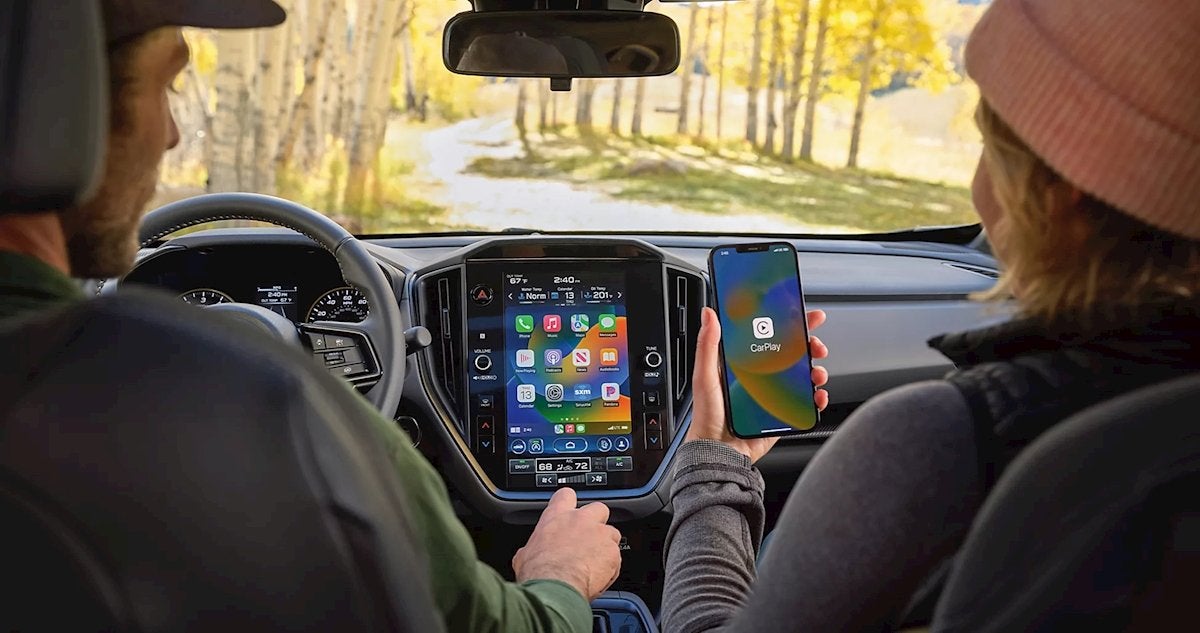
How to Connect Your Phone to Bluetooth, Apple CarPlay, or Android Auto in Your Subaru Getting your phone synced with your Subaru is quick and easy—whether you're using Bluetooth, Apple CarPlay, or Android Auto. These features let you access maps, calls, music, and more—all hands-free. Here’s a simple step-by-step guide to get connected in minutes. Connect Your Phone via Bluetooth Works with most smartphones and Subaru models (2015 and up). Start your Subaru and make sure it's in Park. On the infotainment screen, tap Home → Settings → Bluetooth. Tap Add Device (or Pair New Device). On your phone, go to Bluetooth settings and select your Subaru from the list (e.g., “SUBARU BT”). Confirm the matching PIN on both screens and tap Pair. You’ll now be connected for hands-free calling and audio streaming. Connect Apple CarPlay (iPhone) Plug your iPhone into your Subaru’s USB port using a Lightning cable. On your infotainment screen, tap Apple CarPlay when prompted. If it's your first time, tap Allow on your phone to enable access. Your iPhone screen will now appear on your Subaru’s display—giving you access to Maps, Music, Messages, and more. Some 2023+ models support wireless CarPlay —just enable Bluetooth and Wi-Fi on your iPhone, and follow the prompts on your screen. Connect Android Auto Plug your Android phone into your Subaru’s USB port using a compatible charging cable. Tap Android Auto on the infotainment screen. Accept the prompts on your phone to allow access. If your model supports wireless Android Auto (2023+), enable Bluetooth and Wi-Fi on your phone, and follow the setup instructions onscreen. Having Trouble? Make sure you’re using a high-quality USB cable. Confirm your phone’s software is up to date. Try restarting both your phone and vehicle. Still stuck? Our team at Mark Miller Subaru is happy to help. Visit Mark Miller Subaru for Tech Help Anytime Whether you're in Salt Lake City, Sandy, or just passing through Utah, our team at Mark Miller Subaru Midtown and South Towne can walk you through Bluetooth, Apple CarPlay, Android Auto, and more. Stop by or schedule a quick appointment —we’ll get you connected in no time.
How to Enable or Disable Reverse Automatic Braking (RAB) in Your Subaru | Mark Miller Subaru Utah
For Newer Subaru Models with a Touchscreen (Most 2018+ Outback, Forester, Crosstrek, Ascent, Legacy, etc.) Turn on your Subaru (ACC mode or full ignition). Tap the Home button on the touchscreen. Go to Settings (gear icon). Select Driver Assistance or Safety and Driving Assistance. Tap on Reverse Automatic Braking. Use the checkbox or toggle switch to enable or disable the system. Exit the menu—your preference will be saved automatically. Note: If RAB is turned off, a yellow icon may appear on your dashboard. For Older Subaru Models Without a Touchscreen (Some earlier models with physical controls) Shift into Park and turn on the ignition. Locate the RAB OFF button (usually near the steering wheel or center console). Press and hold the button until the RAB warning light appears—this confirms the system is off. To re-enable it, press and hold the button again until the light disappears. When Should You Disable Reverse Automatic Braking? While it’s recommended to leave RAB enabled for daily driving across West Valley, Taylorsville, and the rest of the Salt Lake area, here are times you might choose to turn it off: Going through a car wash Backing into a tight garage Towing a trailer or bike rack Performing a manual parking maneuver in narrow spaces Don’t forget to turn it back on afterward for maximum safety! Need Help with Subaru Safety Features? Whether you're in Salt Lake City, Sandy, Midvale, or anywhere in Utah, the Subaru experts at Mark Miller Subaru Midtown and South Towne are here to help. We can walk you through the Reverse Automatic Braking system and all other Subaru EyeSight® features—ensuring you're confident behind the wheel in any Utah weather. Visit Us or Reach Out Online Book a service appointment or stop by either of our convenient Utah locations. Visit Mark Miller Subaru
How to Disable Subaru’s Auto Start/Stop System? | Mark Miller Subaru
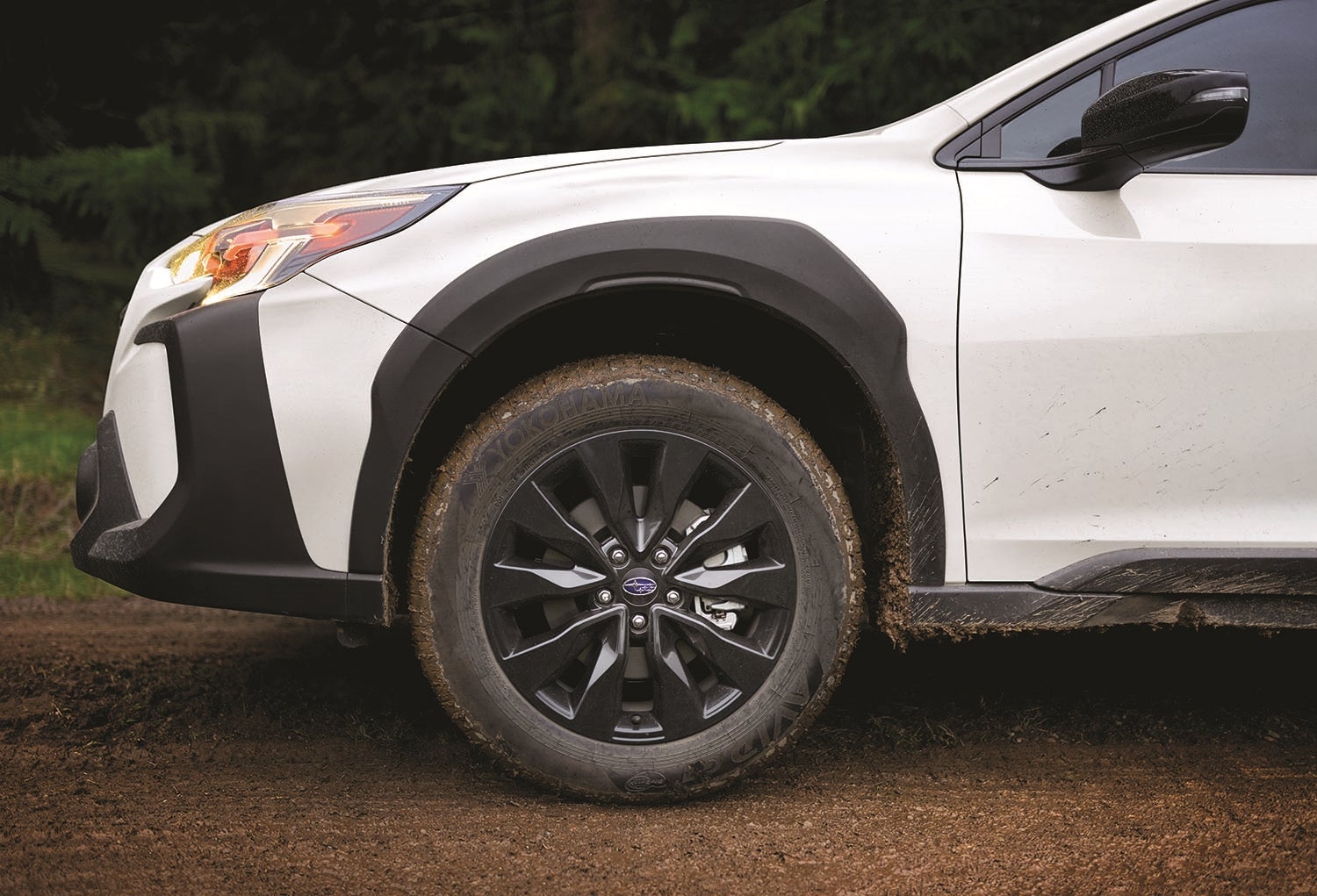
How To Video on Using Subaru Auto Start/Stop System This video discusses the Auto Start Stop feature of your Subaru. You'll learn about this environmentally friendly and fuel efficient feature and how to turn it on and off. Auto Start Stop is engineered to reduce fuel consumption, exhaust emissions, and idling noise. Keep in mind this informational video is specific to 2019 and newer Forester and 2020 and newer Crosstrek models equipped with CVT transmissions. What Is Subaru’s Auto Start/Stop System and How Does It Work? If you’ve driven a newer Subaru, you may have noticed your engine shuts off briefly at stoplights or in traffic—and then automatically restarts when you lift your foot off the brake. That’s thanks to Subaru’s Auto Start/Stop system, a fuel-saving technology designed to improve efficiency and reduce emissions without sacrificing performance. The system works by turning off the engine when the vehicle is at a complete stop and restarting it when you’re ready to move again. It’s most noticeable in city driving where frequent stops are common. The idea is simple: why burn fuel when you’re not going anywhere? Auto Start/Stop is standard on many newer Subaru models, including the Forester, Outback, Crosstrek, and Legacy. While it may take some getting used to, the system is seamless—and for those who prefer not to use it, there’s a dedicated button to disable it temporarily during your drive. By reducing idle time, Subaru’s Auto Start/Stop system helps drivers lower fuel costs and contribute to a cleaner environment—without compromising the safety, traction, or reliability Subaru is known for.
How to Set the Clock in Your Subaru – A Quick Guide from Mark Miller Subaru
Whether Daylight Saving Time just kicked in or you're adjusting to a new time zone, knowing how to set the clock in your Subaru is a must. At Mark Miller Subaru Midtown, serving Salt Lake City, Park City, Midvale, Murray, Holladay, West Valley, Taylorsville, and surrounding Utah communities, we’re here to make every part of car ownership easier—including your dashboard clock. Here’s a quick guide to help you set the time in your Subaru, no matter the model or year For Subaru Models with a Touchscreen (2015 and Newer) Most modern Subarus—like the Outback, Forester, Crosstrek, and Ascent —come equipped with a touchscreen infotainment system. If this sounds like your car, follow these steps: Start Your Vehicle and tap the Home button on the infotainment screen. Select the Settings icon (gear symbol). Tap Clock or Time/Date. Choose Auto Set to let your Subaru sync with GPS or cell signal. Prefer to set it manually? Tap Set Time or Adjust Time. Use the on-screen buttons or arrows to set the hour and minutes. Choose between 12-hour or 24-hour time format. Tap OK or Set to lock in the time. For Older Subaru Models Without a Touchscreen If your Subaru doesn’t have a touchscreen system—like some versions of the Impreza, Legacy, or older Outback models—you’ll likely be adjusting the time using physical buttons on the dash. Here’s how: Turn on the ignition (your Subaru doesn’t need to be running). Look for small buttons labeled " H " (hour) and " M " (minute), usually near the radio display. Press and hold the Clock or Set button until the numbers flash. Tap the H button to adjust the hour and M to change the minutes. Release the buttons, and the time will auto-set after a few seconds. Bonus: Use GPS to Auto-Sync Time If your Subaru is equipped with GPS navigation or connected STARLINK services, you can allow your vehicle to automatically sync the time via satellite: Go to Settings > Clock and enable Auto Time via GPS. It’s an easy way to ensure you’re always running on the right time—especially when crossing time zones or dealing with Daylight Saving changes. Still Need Help? Stop by Mark Miller Subaru in Salt Lake City or Sandy Need a hand setting your clock or updating your Subaru’s software? Visit our friendly team at Mark Miller Subaru Midtown. Our expert staff is always happy to walk you through anything—big or small. Give us a call, stop in, or schedule service online at markmillersubaru.com.
How to Change the Oil in Your Subaru Outback
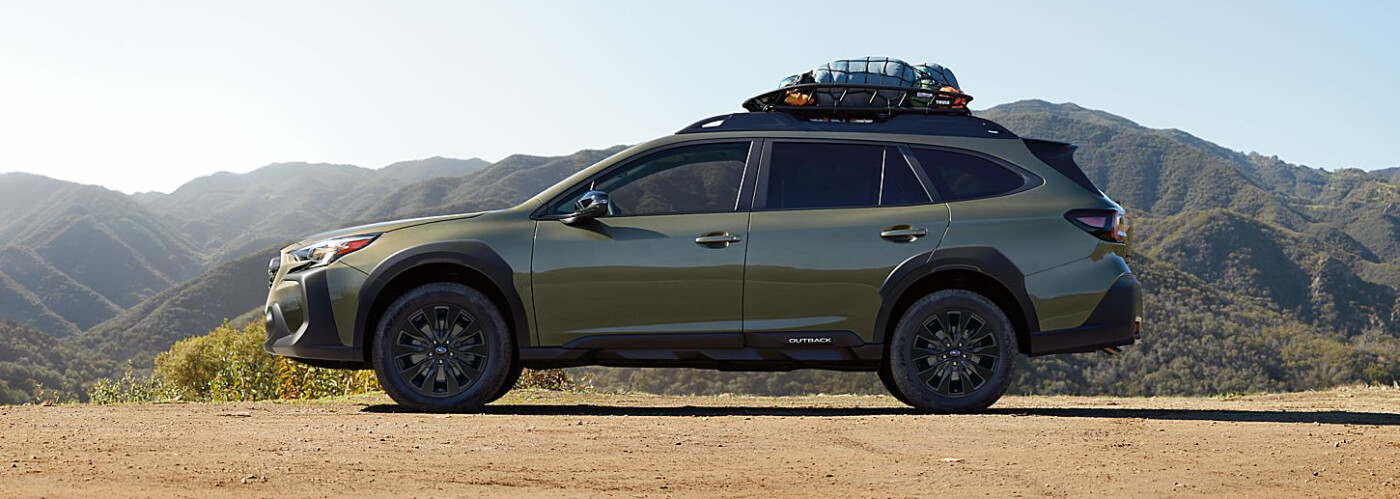
An oil change is one of the most important and routine car maintenance activities. Keeping your car full of fresh engine oil is the best way to ensure its moving parts stay lubricated; this allows you to keep driving confidently across Salt Lake City, Millcreek, Holladay, Murray, West Valley City, and South Salt Lake for years to come. And while you can always bring your Subaru to the Mark Miller Subaru Midtown service center in South Salt Lake for an oil change, you can also do it pretty easily yourself with a little know-how. Schedule Service Contact Us Here at Mark Miller Subaru Midtown in South Salt Lake, we want to help you save money on routine maintenance—that’s why we’ve put together this quick Subaru Outback oil change guide to help you change your car’s oil at home. Review these steps and get your vehicle in great condition in no time! Of course, if you’d rather schedule service, our Subaru-trained technicians are here to help drivers throughout Salt Lake County. What Is an Oil Change? The oil inside your engine gets broken down over time due to the friction and heat of the engine. It also gets contaminated with dirt and other debris as you drive through busy streets in Salt Lake City or highways near West Valley City. After a while, these effects make for oil that doesn’t lubricate moving parts as well, which can lead to more friction and heat within your engine. If left untreated, your engine can completely fail. When you get an oil change (or do your own), all the old oil gets drained from your engine. The oil filter is also replaced to ensure that your engine continues to run smoothly. Finally, new oil is added, the specific type of which depends on your Subaru’s manufacturer specifications. These steps are pretty simple, and most South Salt Lake and Murray drivers can do them at home with a little know-how. When Should I Change My Oil? All cars need an oil change at regular intervals. Those intervals vary depending on your Subaru’s make, model, and year of manufacture. Check your Subaru Outback’s owner’s manual to determine the recommended intervals, or ask the experts at Mark Miller Subaru Midtown. A good rule of thumb is to change the oil every 10,000 miles—or if you drive your Subaru hard, commute daily into Salt Lake City, or experience stop-and-go traffic in Millcreek or Holladay, every 3,000 miles may be better. If you’re not sure, changing the oil in your Subaru should be done at least twice a year. Tools You’ll Need for Changing the Oil in a Subaru To change your Subaru’s oil at home in South Salt Lake, you’ll need a few easy-to-find tools. You should be able to find these at your local hardware or auto-parts store in Salt Lake City: Oil that matches the specs for your Subaru Outback A funnel to help you pour the oil Rubber gloves A replacement oil filter for your Outback An oil filter wrench A wrench for your car’s drain plug A drain pan or bucket to catch the old oil A hoist, jack stand, or ramps to lift your car Screwdrivers or wrenches Changing the Oil in Your Subaru Outback It wouldn’t be a Subaru Outback oil change guide without the steps! Follow these directions to perform an oil change from your driveway in Salt Lake County: Lift the car. Since you’ll be underneath the car, make sure it’s secure. You can lift your car with a set of jacks, or drive it onto ramps to raise the front end—but whatever you do, make sure it’s safe with wedges behind the back wheels. Remove the undertray. This protects engine components from road debris, grit, and grime around Salt Lake City roads. Remove it carefully and set aside. If you notice oil leaks, bring it to Mark Miller Subaru Midtown for inspection. Drain the old oil. Place a drain tray underneath the drain plug, loosen with a wrench, and allow the oil to fully drain. This may take five minutes or more. Remove and replace the filter. Loosen the oil filter, allow the oil to drain, then install a new filter with a lightly oiled gasket. This helps ensure a snug fit. Replace the undertray and lower the car. Re-tighten the drain cap, replace the undertray, and safely lower the car. Refill the engine. Add the correct amount of oil recommended by Subaru. Check the dipstick and let the car idle for a few minutes to circulate oil before driving around South Salt Lake again. Get Your Subaru Outback Oil Changed at Mark Miller Subaru Midtown Now that you’ve read our Subaru Outback oil change guide, you can see how easy it is to change your oil at home. However, for more complex maintenance or simply for peace of mind, trust the experts at Mark Miller Subaru Midtown in South Salt Lake. Our factory-trained service team proudly helps Subaru drivers from Salt Lake City, Millcreek, Holladay, Murray, and West Valley City. Schedule maintenance easily online, or contact us with any questions. Keeping your Subaru on the road for years to come starts with trusted Subaru service at Mark Miller Subaru Midtown.
How to Use the MySubaru App
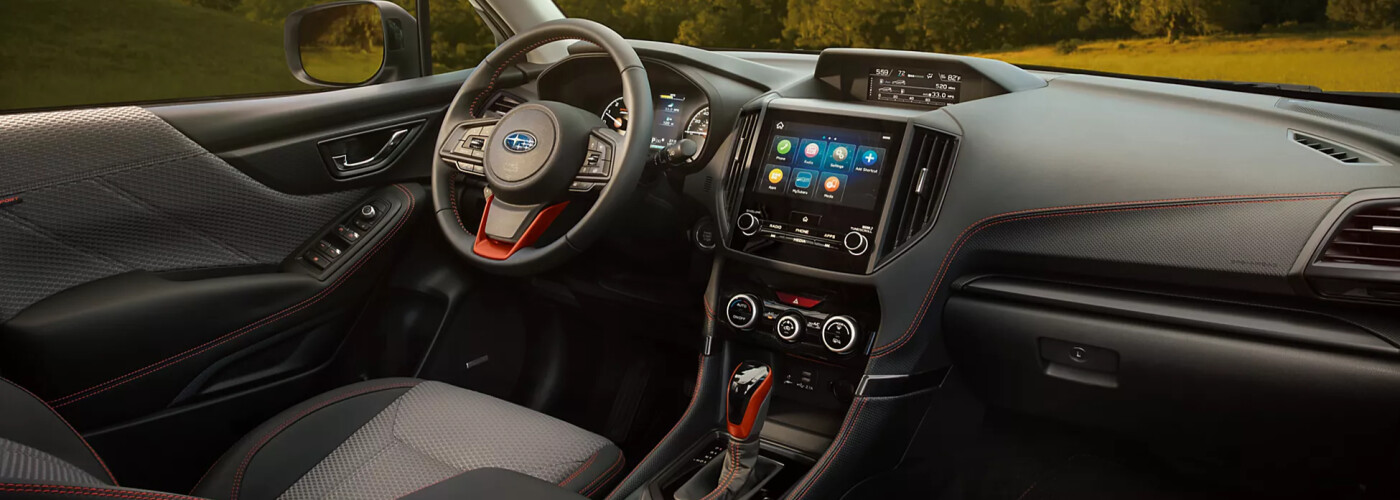
Welcome to Mark Miller Subaru Midtown, your trusted Subaru dealership located in South Salt Lake, Utah. Whether you’ve purchased a new Subaru or a certified pre-owned Subaru, the MySubaru App helps you unlock the full potential of your vehicle. Drivers from Millcreek, Murray, Holladay, West Valley City, and the greater Salt Lake City area trust Mark Miller Subaru Midtown for all their Subaru technology and service needs. In this guide, the experts at Mark Miller Subaru Midtown in South Salt Lake will walk you through how to use the MySubaru App and Subaru STARLINK® technology so you can take advantage of every feature your Subaru has to offer. Don’t forget to check out our growing library of Subaru how-to videos or stop by our dealership near Salt Lake City and West Valley. View Inventory Contact Us What Is the MySubaru App? No matter if you’re planning adventures to Park City, commuting through Millcreek or Murray, or relaxing at home in Holladay, the MySubaru App makes owning a Subaru effortless. With the app, you gain access to features trusted by Subaru owners across Salt Lake County, and Utah: Owner’s manuals and Subaru how-to videos Find Subaru service centers near South Salt Lake, Midvale, and Cottonwood Heights Easy online Subaru service scheduling with Mark Miller Subaru Midtown Track your Subaru service history in Utah STARLINK® remote start, door lock/unlock, and vehicle locator* Real-time vehicle health notifications for Salt Lake City drivers * 24/7 roadside assistance anywhere in Utah * While every Subaru owner in Salt Lake City, West Valley, or Murray can use the MySubaru App, advanced features require a Subaru STARLINK® subscription or an Added Security Gold Plus plan available through Mark Miller Subaru Midtown. How to Get Started with the MySubaru App Follow these simple steps to connect your Subaru in South Salt Lake or anywhere in Utah. Our Mark Miller Subaru Midtown tech specialists are always available to help if you run into any setup issues: Download the MySubaru App from the Apple App Store or Google Play Store. Create an account using an active email address. Log in to your account. Add your vehicle by entering its VIN (found on your registration or driver’s side dashboard). Follow the on-screen prompts to complete setup and connect your Subaru. Test out the demo version to explore additional Subaru STARLINK® features. Access “How-To” videos right in the app to learn step-by-step, recommended by Mark Miller Subaru South Salt Lake. What Is Subaru STARLINK®? Subaru STARLINK® is a suite of onboard technology combining advanced safety and multimedia features. Drivers across Salt Lake City, Midvale, Park City, Holladay, Murray, and West Valley rely on STARLINK® for added peace of mind and convenience. At Mark Miller Subaru Midtown, we’ve helped thousands of Utah drivers activate STARLINK® and stay connected on the road. Safety Features Include: Automatic collision notifications in Salt Lake County SOS emergency assistance anywhere in Utah Enhanced roadside assistance through Mark Miller Subaru Midtown Multimedia Features Include: Apple CarPlay® and Android Auto™ integration for Salt Lake City drivers Hands-free Bluetooth® smartphone pairing in your Subaru from Mark Miller Subaru Midtown Access to your favorite apps and media while driving around Sugarhouse, Millcreek, and South Salt Lake With Subaru STARLINK®, every Utah road trip —from Moab’s red rock trails to Brighton’s ski slopes —becomes safer, smarter, and more enjoyable with the help of Mark Miller Subaru Midtown in South Salt Lake. Learn More About Subaru Technology at Mark Miller Subaru Midtown Ready to take full advantage of your Subaru ownership? At Mark Miller Subaru Midtown, we specialize in helping South Salt Lake drivers get the most out of the MySubaru App and Subaru STARLINK®. Contact our service team today or call us to schedule a one-on-one tech session at Mark Miller Subaru Midtown in South Salt Lake, UT. Considering an upgrade? Browse our new Subaru inventory, shop pre-owned Subaru models, or value your trade online. We proudly serve the entire Wasatch Front — including South Salt Lake, Park City, Murray, Millcreek, Holladay, Midvale, Cottonwood Heights, West Valley, and beyond.